Pandora M1, a training monitor box (64 nodes x 8 GPUs support)
I started this project past year but never managed to finish due to many cumbersome issues tied to the mechanical part of the front panel which took me a lot of time, so this month I decided to finish it and this past weekend I was finally able to get some time to address the mechanical part. I’m very pleased with the results and there are still some things to finish but since it is starting to look great, I decided to share some photos and videos of the on-going project. This is the initial prototype so there is a unbearable amount of wiring around, however, I’m planning to hide all of this on a small case later and also design a PCB board for integrating all of this, which will help a lot with the wiring and clutter.
The main idea of this box is to provide a more tactile experience to monitoring distributed training GPUs, so I tried to make something that can fit on top of the desktop and had a more analog visualization with LED Bars and physical knobs that you can use. I iterated a lot on the design and I found this one to be quite elegant and also easy to operate.
Pandora M1
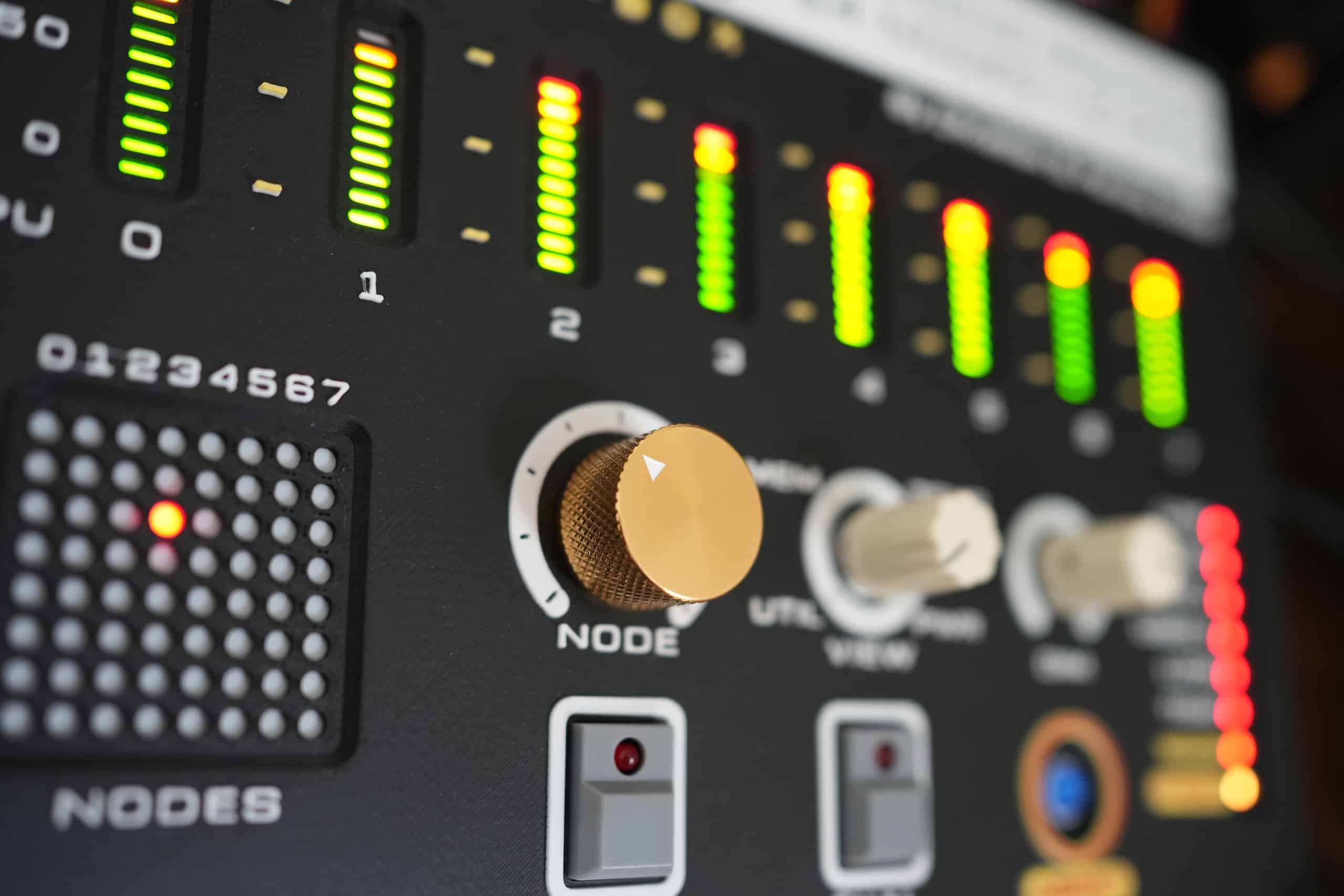
The main information that I wanted to put on the front panel was GPU Utilisation, GPU memory, GPU Temperature and also Power Usage. The tricky problem is that you want to visualize that for multiple nodes as well, so what I did was to use a LED Matrix to show each node so that when there is an issue on a node, it will blink that as well so you can go to that node and look at the stats as well. To select the node I added one big metal head on a potentiometer so that it is easier to move around on the nodes, it goes from 0 to 63, so it supports 64 nodes max, and given that each (at maximum 8) GPU has an individual LED Bar for it, the panel supports visualisation of 512 GPUs in total.
This was the main 3D model I designed (with the help of an LLM):
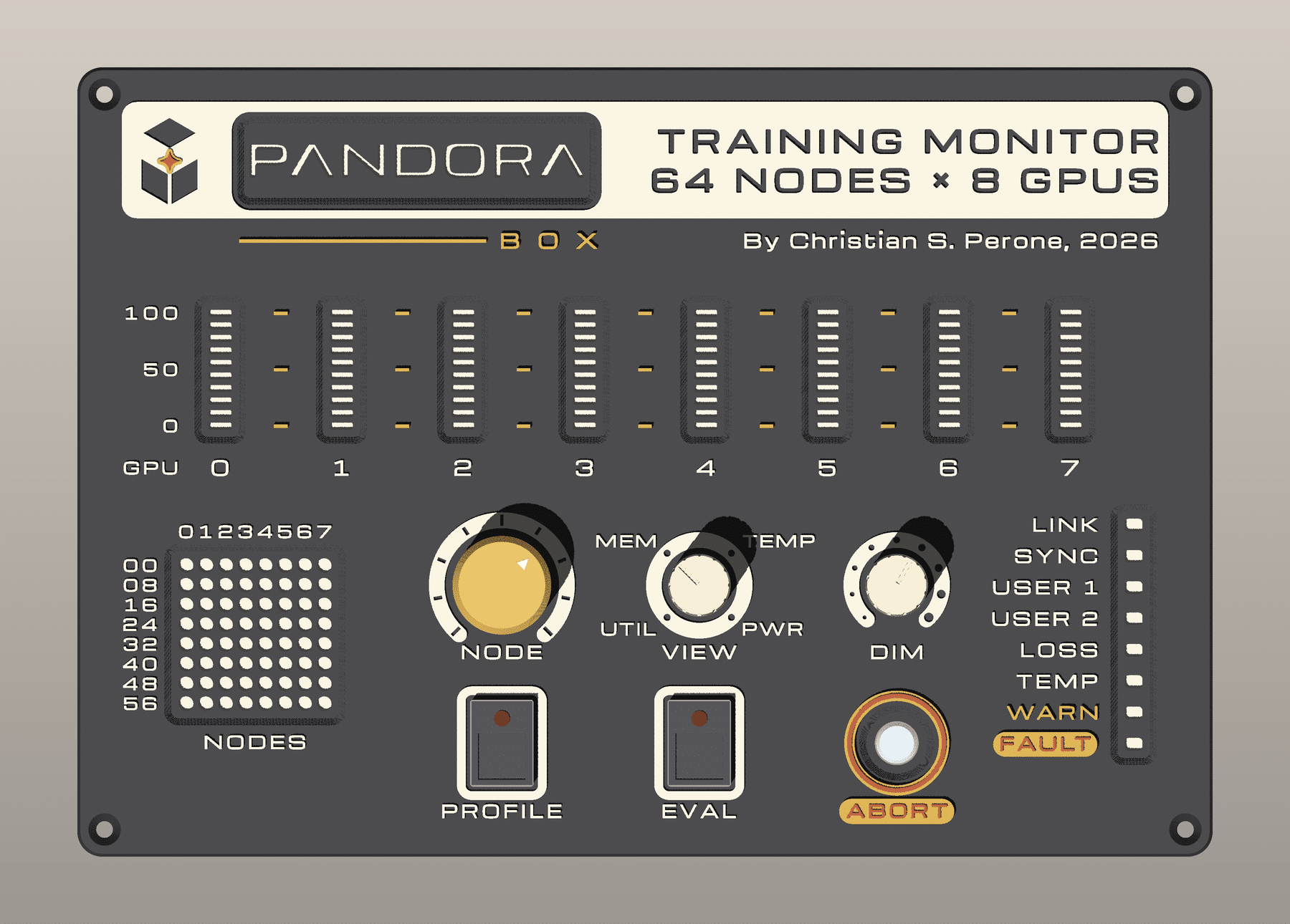
I also added the VIEW knob so that you can choose between the different info from the GPUs of that particular node and also a DIM button because the LEDs can be very bright at night so I wanted to have a knob to adjust that. I also added PROFILE/EVAL/ABORT and a series of signals that I will discuss once I finalize the project, but they are basically for evaluation signal and for enabling/disabling profiling of the GPU.
The main trick here to make LEDs look nice was to keep a single 0.20mm layer of white matte PLA so that it diffuses all the LEDs for me, including the LED panel behind the logo “PANDORA” on the top. So all LEDs had a 0.20mm white layer and then the base was pure black with details in yellow an terracota.
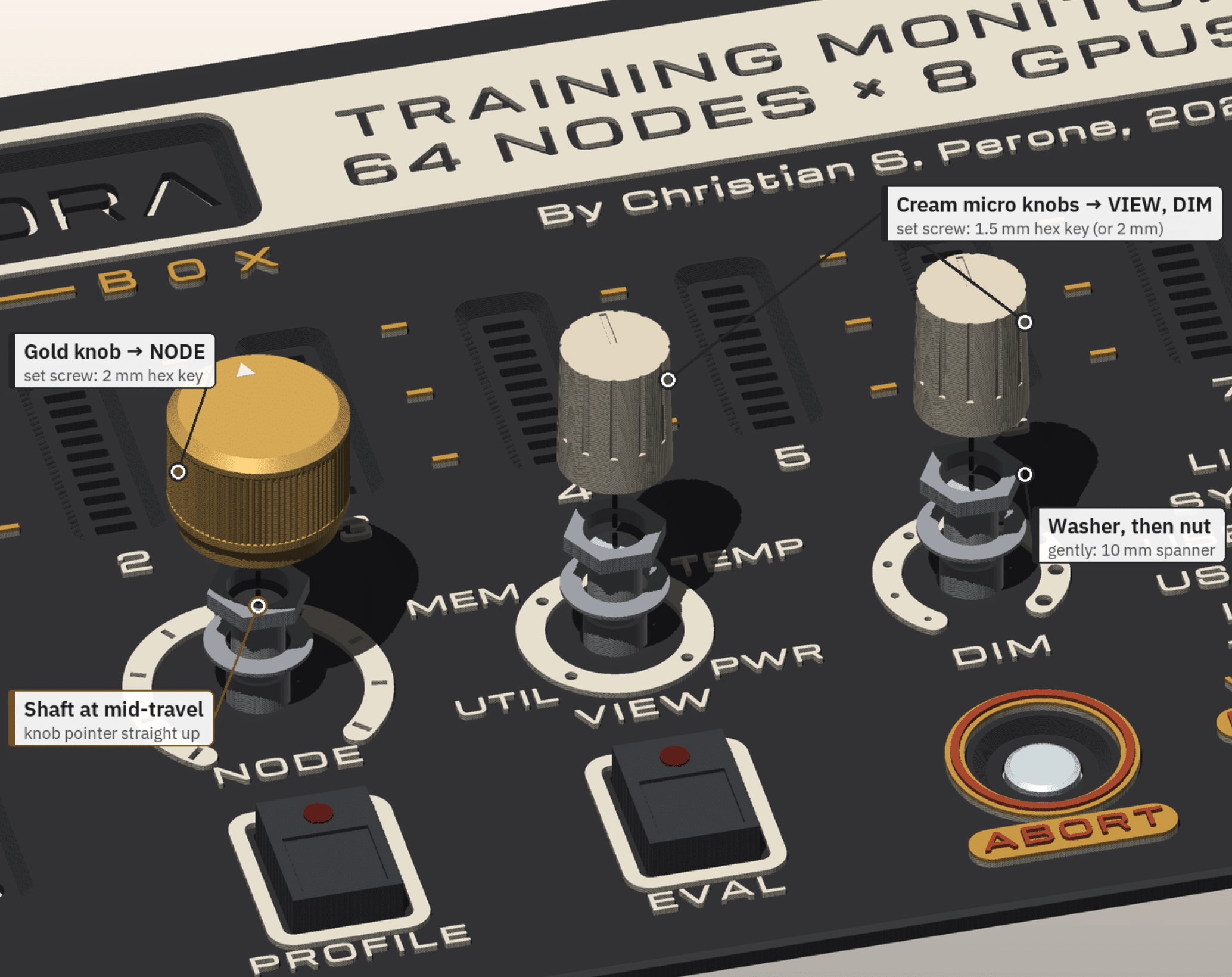
Now, I used 10k linear potentiometers with washer -> nut -> knob like in the image below, so that they would have a strong grip on the panel, but on the back I also added some holes to keep the potentiometer in place (to avoid it twisting on the back)
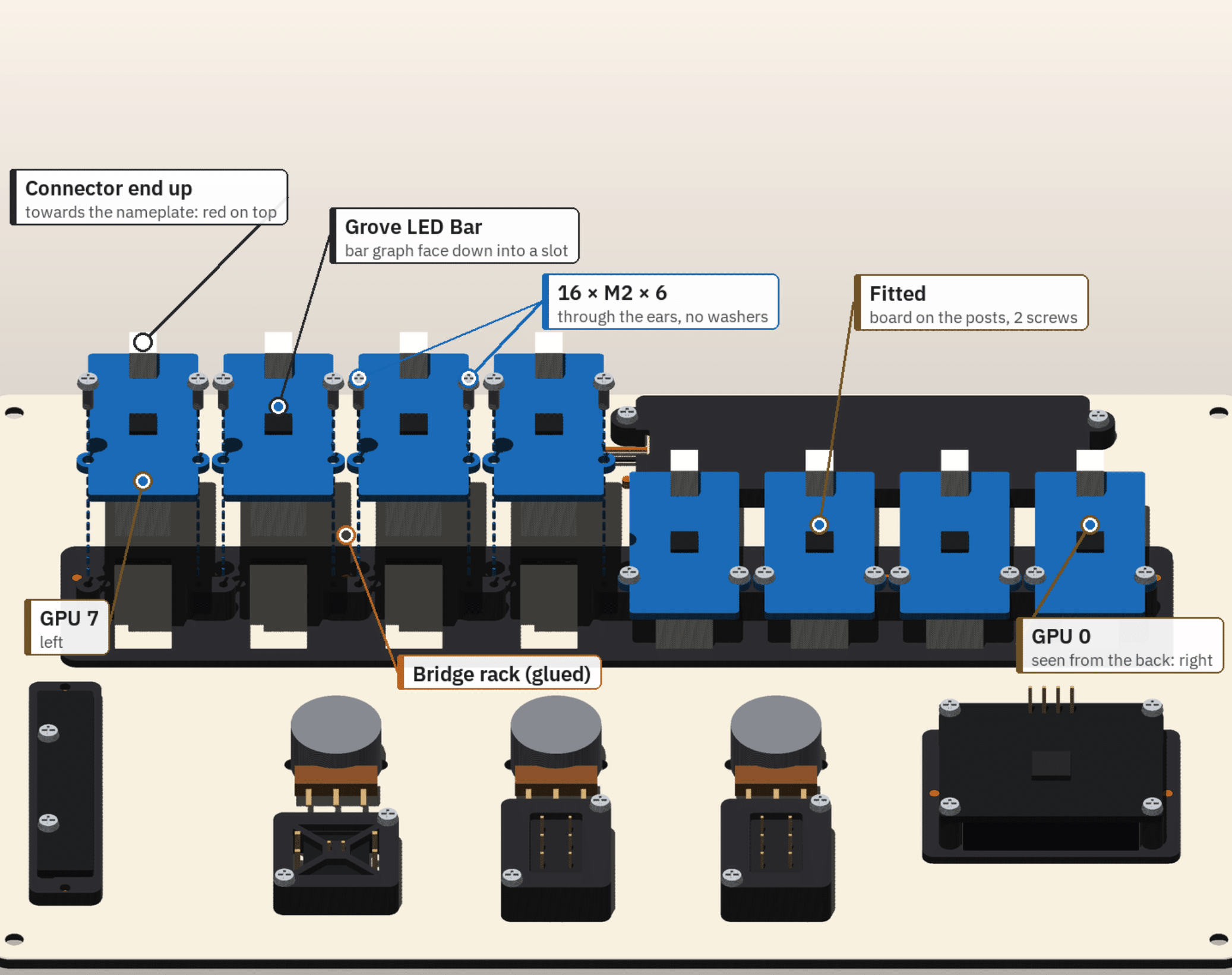
This mechanical part was a nightmare, especially for the LED Bars because I had to design a rack for them to fit there and stay in place, this is how the back looks like on the design, however, you will see later that it is much uglier due to the amount of wiring and I had a lot of trouble with the space as well:
And this was how it looked in in the back:
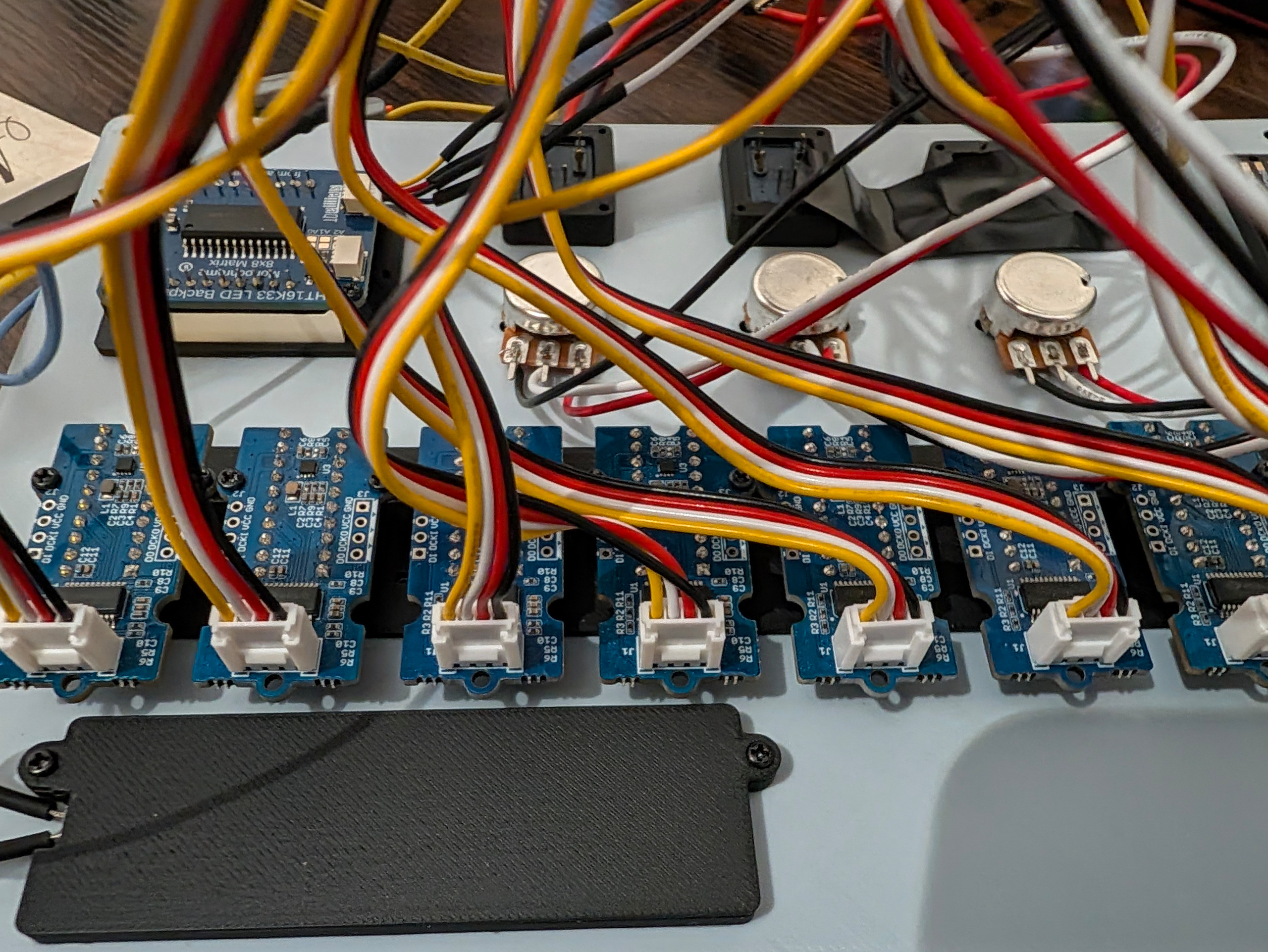
But most of this will disappear later once a finish the PCB design. The end result after assembling all of this (which can take some fun time) was the one below:
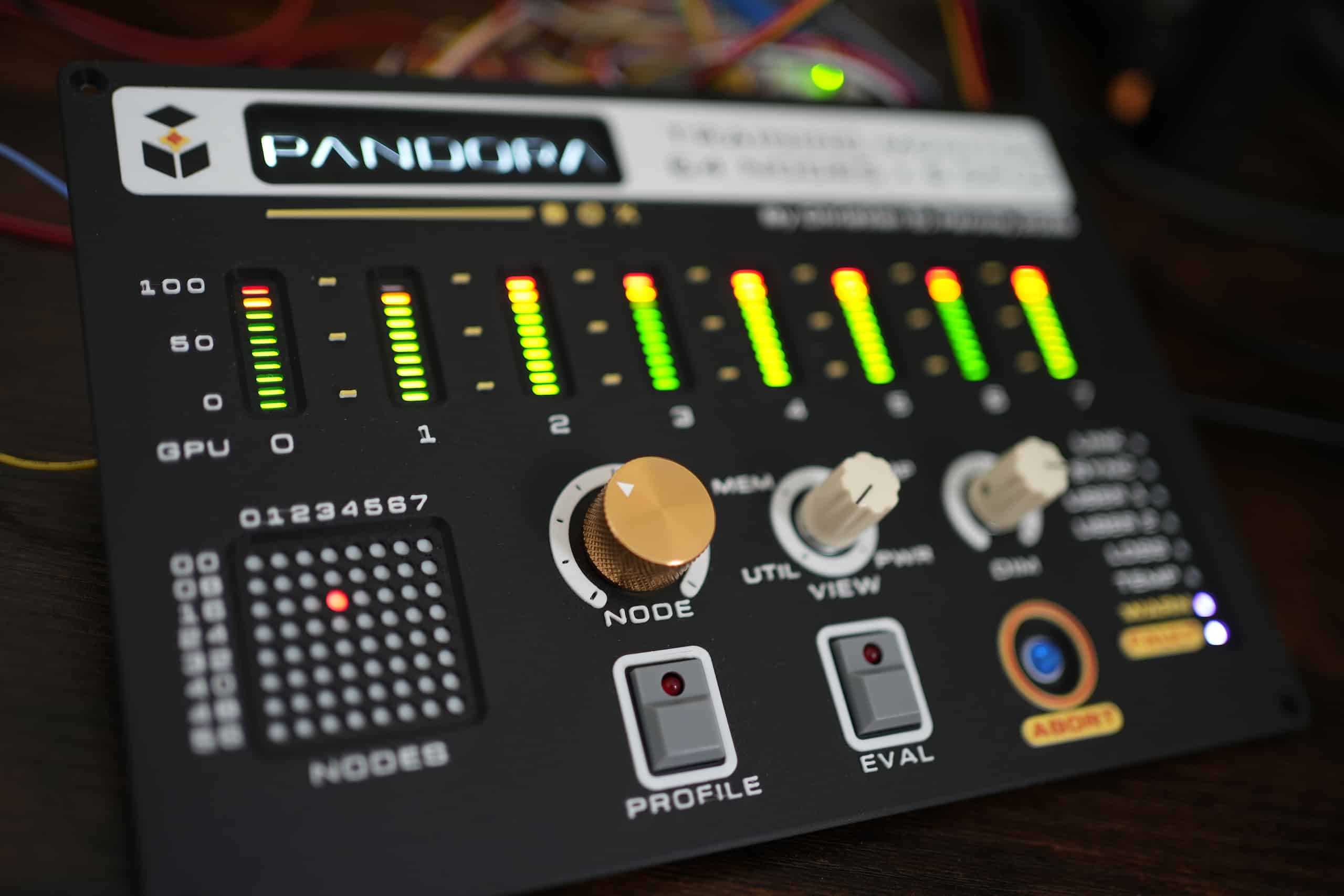
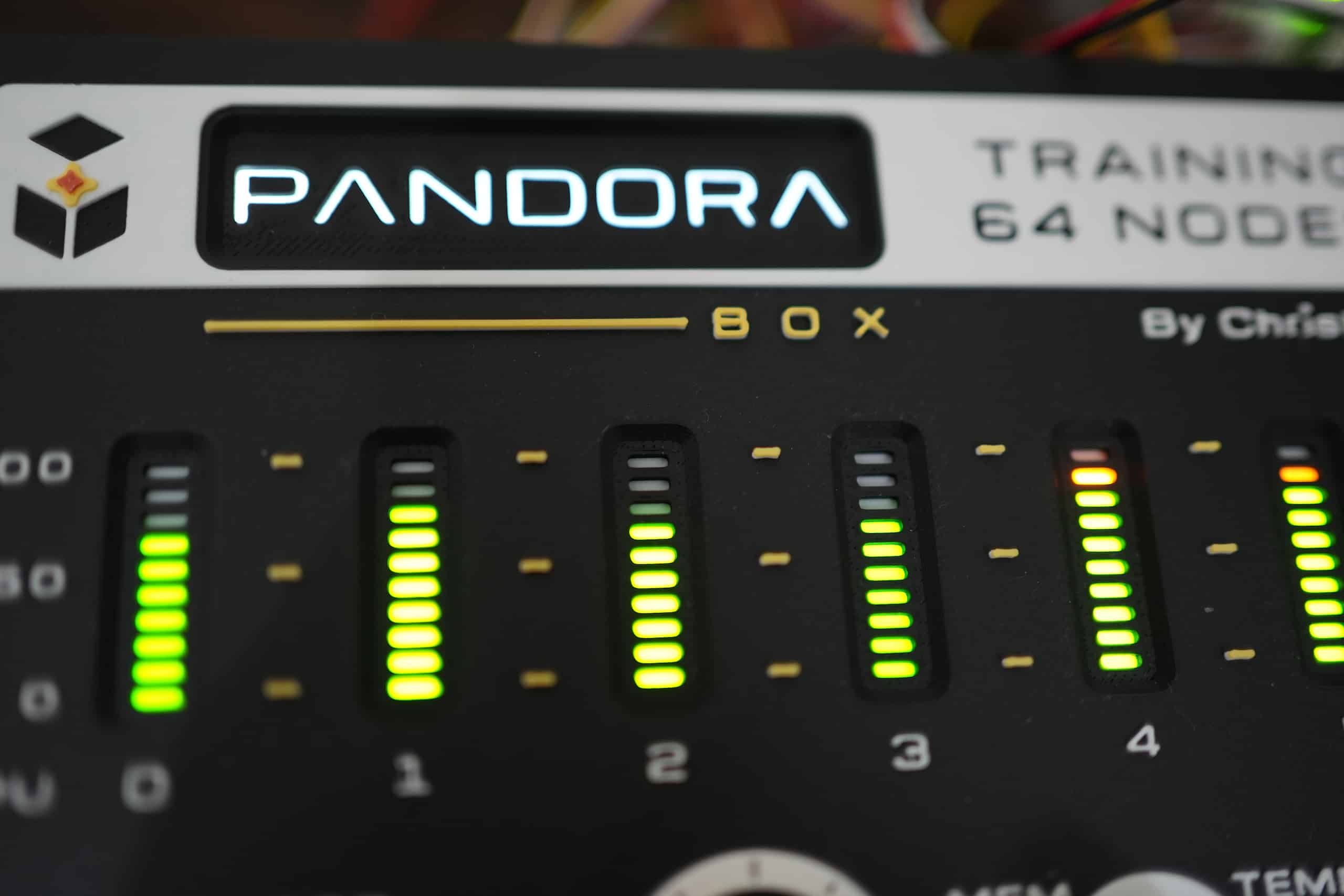
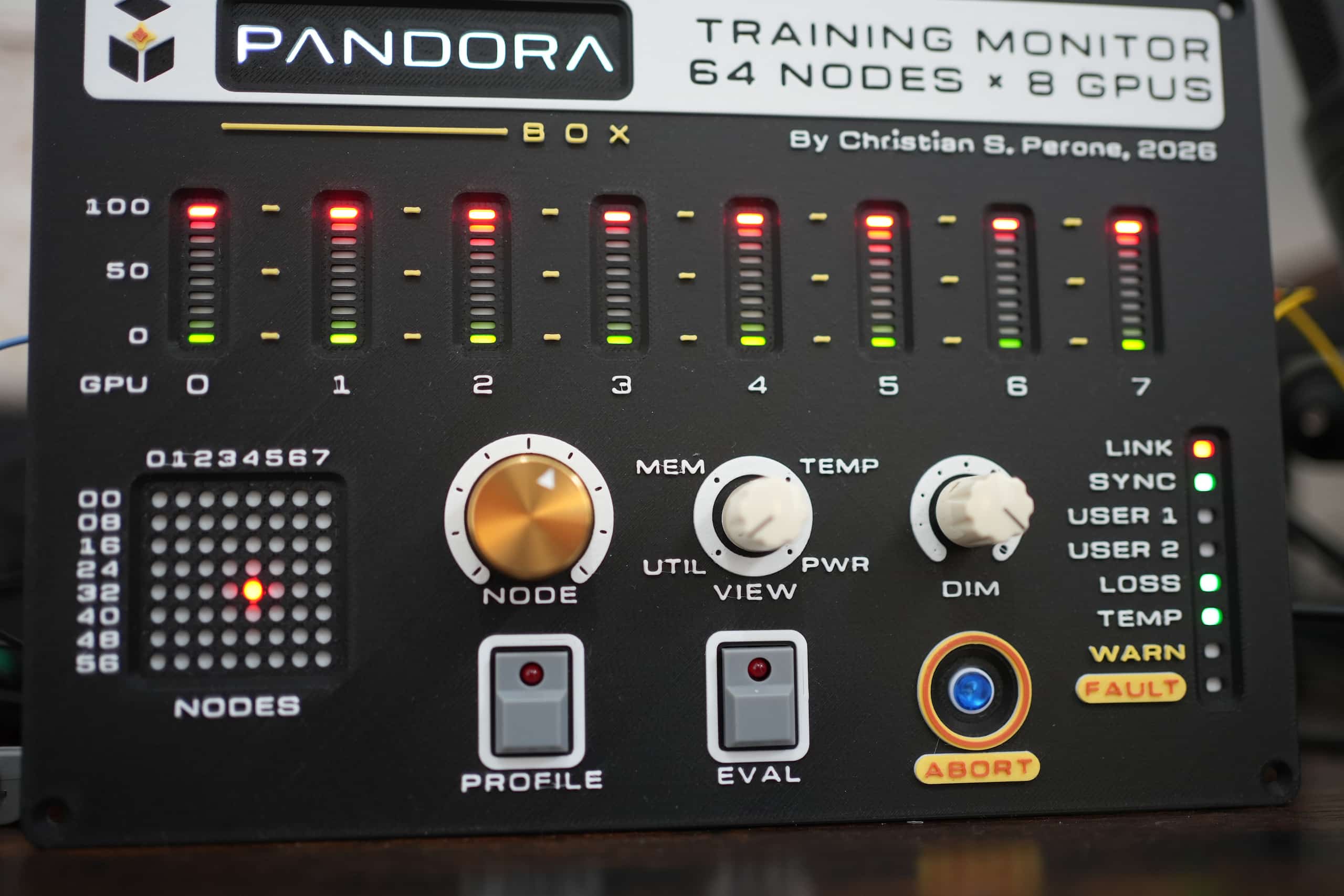
The photos do not make justice for the LEDs, they are simply very elegant and at night they become very cool, like in the image below:
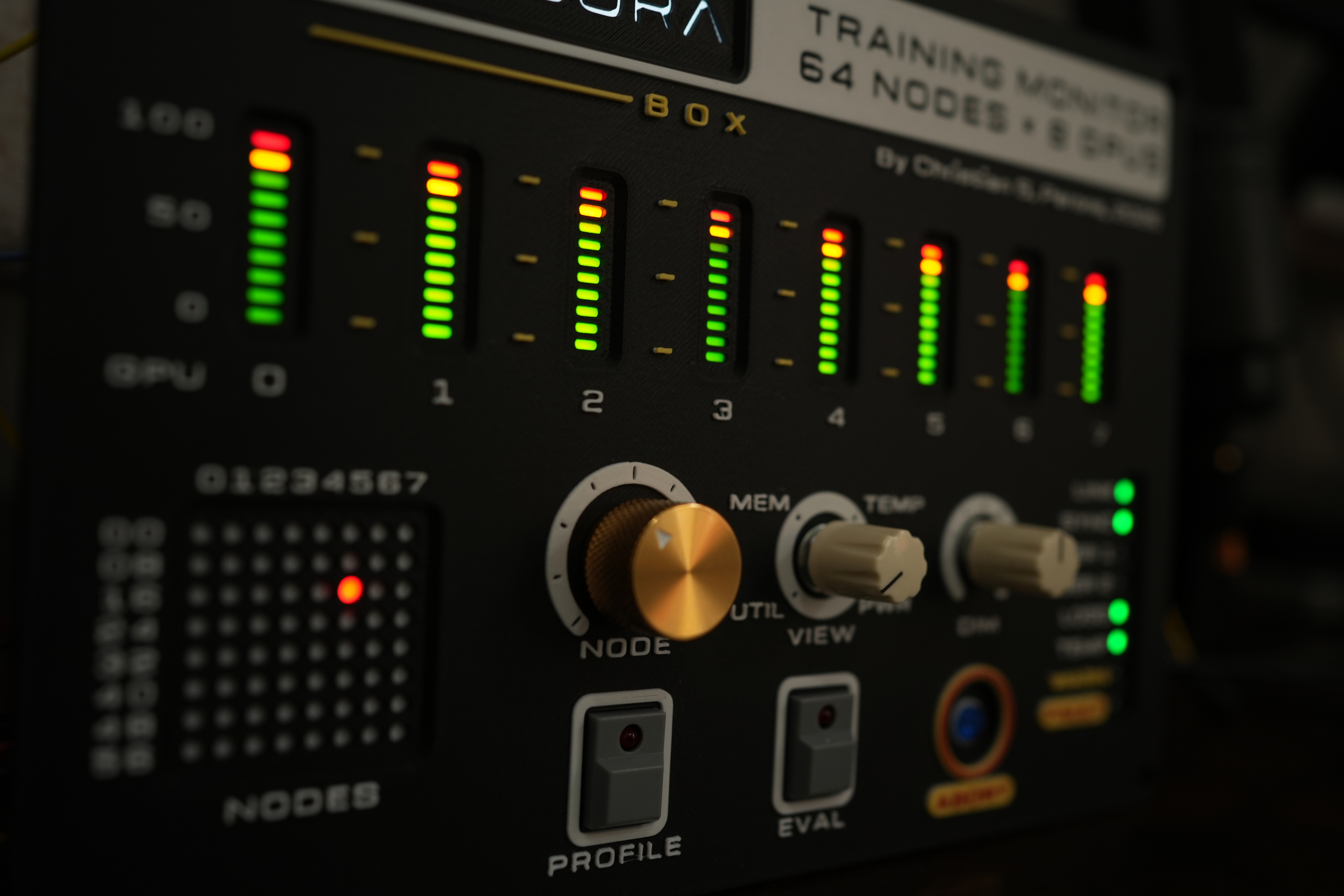
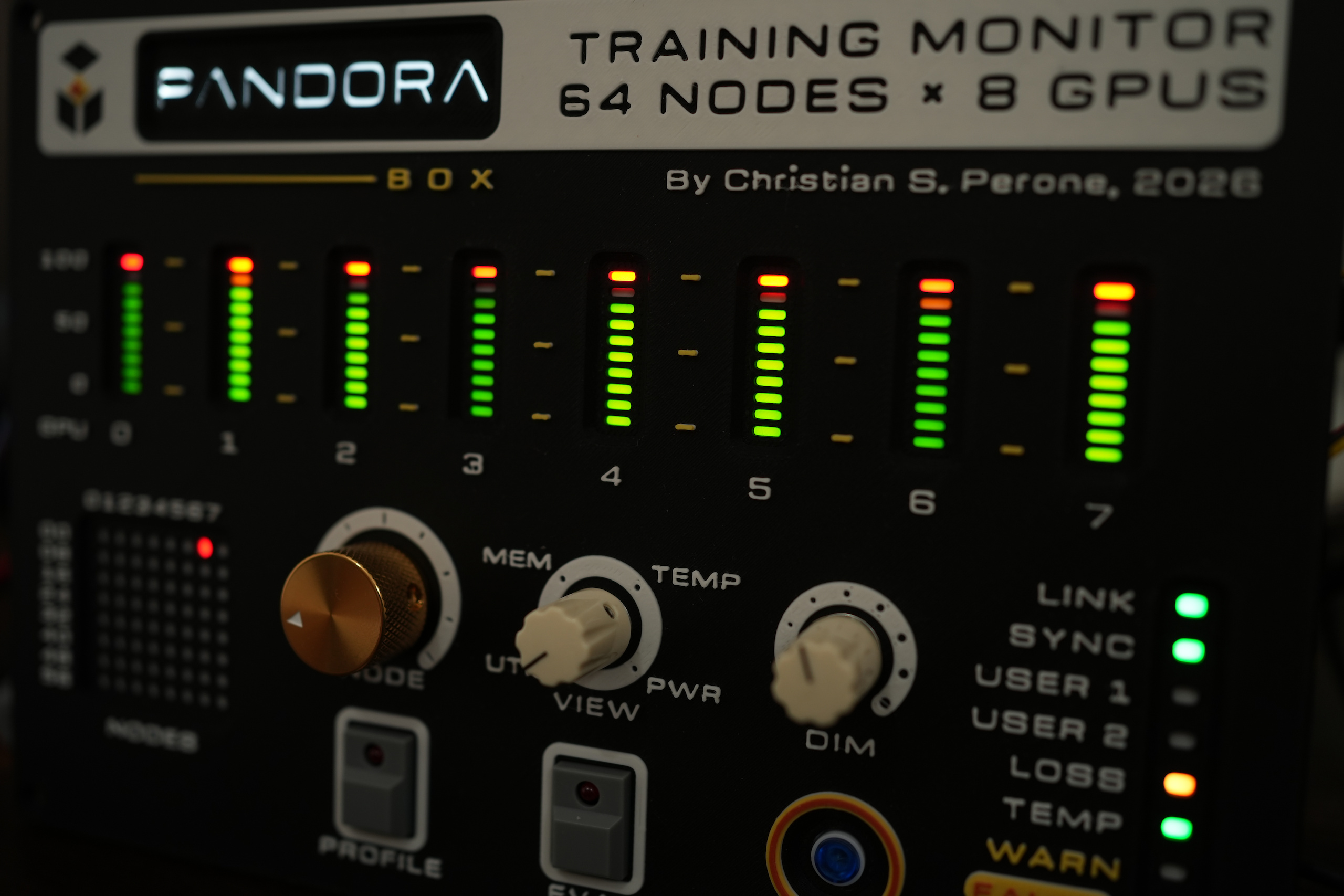
There is still a lot of things to do but the main funcional panel is working fine and it is quite handy to use. I will share more once I finish it.
Hope you liked the idea !
– Christian S. Perone
